See the whole kitchen
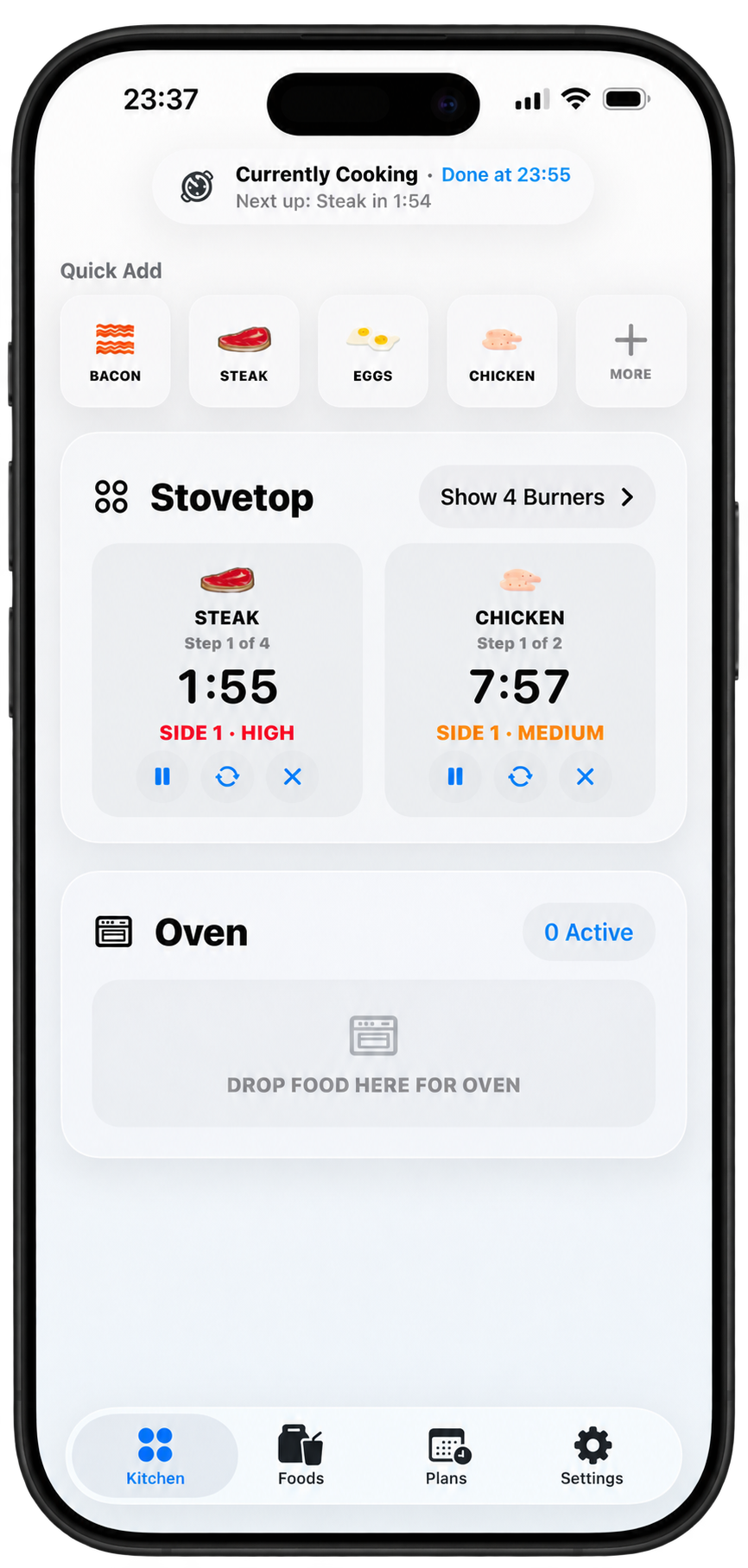
Track food across your stovetop, oven, and grill in one visual workspace. Know which timer belongs to which dish.
YOUR VISUAL COOKING COMPANION
Your stove, oven, and grill, all in one place. Track multiple foods, follow cooking steps, and know what needs your attention next.
Made for iPhone. At home on iPad and Apple Watch, too.
DINNER HAS ENOUGH MOVING PARTS
The pan needs flipping. The oven needs checking. And another alarm just went off. StoveWatch gives every food its own place, steps, and timer—so you can get back to cooking.
Track food across your stovetop, oven, and grill in one visual workspace. Know which timer belongs to which dish.
Save your foods, customize their cooking steps, and keep the timing that works for you ready for next time.
Get reminders when it’s time to flip, check, or finish. Each food keeps its own progress, so there’s less to hold in your head.
TAKE STOVEWATCH FOR A SPIN
Add a food and watch its timer count down. Flip to start the next step, pause when you need a moment, or remove it when you’re done.
Interactive illustration · Short sample timers, not cooking instructions. The app lets you save your own steps and timing.
FROM “WHAT’S FOR DINNER?” TO “DINNER’S READY”
A little setup now. A favorite you can come back to.
Take the walkthrough ↗Start with a saved favorite or create a food of your own. Give it a name and an icon you’ll recognize at a glance.
Add the instructions and timing you use: sear, flip, lower the heat, or move to the oven. You’re in control of the details.
Drag your food onto the stove, oven, or grill to start cooking. Add other foods as your meal gets going.
Watch each food’s progress and follow its reminders. Flip or check your food, advance the step, and finish when you’re happy with it.
MAKE ROOM FOR THE WHOLE MEAL
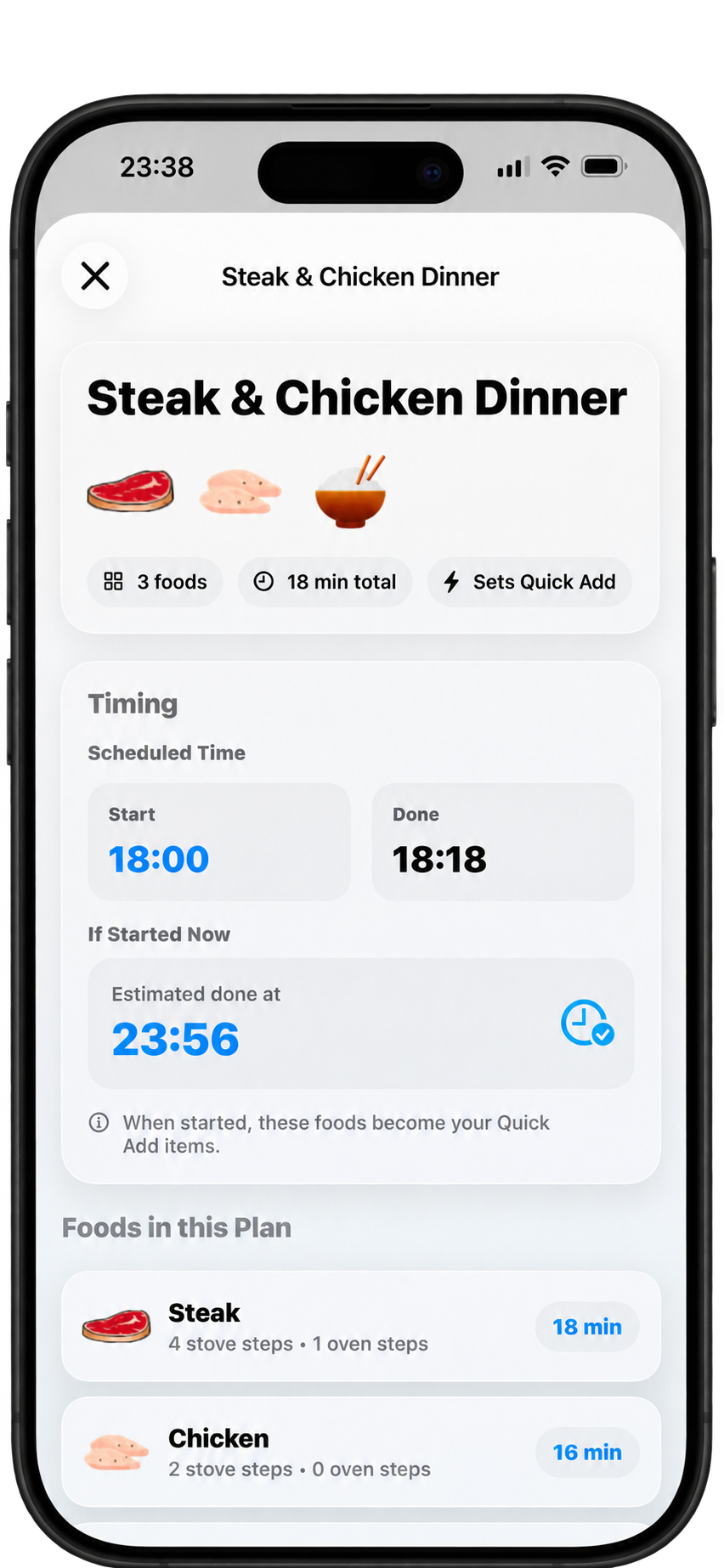
A main, a side, something in the oven. Bring your foods together in a meal plan and keep their individual steps organized.
Save a dinner you love so the next time starts with less setup.
Meet meal plans ↗
A FRIENDLY FACE IN THE KITCHEN
A little personality goes a long way. Otto’s animations and guidance make the cooking experience feel a little more approachable, from getting started to finishing up.
The story behind StoveWatch ↗FEELS RIGHT AT HOME ON YOUR IPHONE
Live Activities, Dynamic Island, widgets, and an Apple Watch companion help you stay close to your cooking. A native interface, thoughtful haptics, and light and dark appearances keep things familiar.
Features vary by device, operating system, and settings.
ROOM TO GROW
Get to know StoveWatch with the free experience. An optional Pro subscription adds room for bigger meals, unlimited custom foods, and unlimited meal plans.
Current plans, prices, and eligible offers are shown in the app.

A FEW THINGS YOU MIGHT BE WONDERING
StoveWatch is a visual cooking timer app for iPhone. It helps you track foods, their cooking steps, and their timing across the stove, oven, and grill.
A normal timer counts down. StoveWatch connects that countdown to a food, a cooking area, and a next step. When several dishes are cooking, you can see what each one needs.
Yes. Each food has its own steps and timer, so you can follow several dishes in one workspace. StoveWatch Pro expands your cooking capacity for bigger meals.
MAKE ROOM FOR A CALMER KITCHEN
Your next meal starts here.