
A CALMER ROUTINE, STEP BY STEP
From first sizzle
to final serving.
Set up the foods you love, put them on the heat, and follow what comes next.
- 01
Choose your food
Start with a saved favorite or create a food of your own. Give it a name and an icon you’ll recognize at a glance.
- 02
Set up the steps
Add the instructions and timing you use: sear, flip, lower the heat, or move to the oven. You’re in control of the details.
- 03
Put it on the heat
Drag your food onto the stove, oven, or grill to start cooking. Add other foods as your meal gets going.
- 04
Follow the next step
Watch each food’s progress and follow its reminders. Flip or check your food, advance the step, and finish when you’re happy with it.
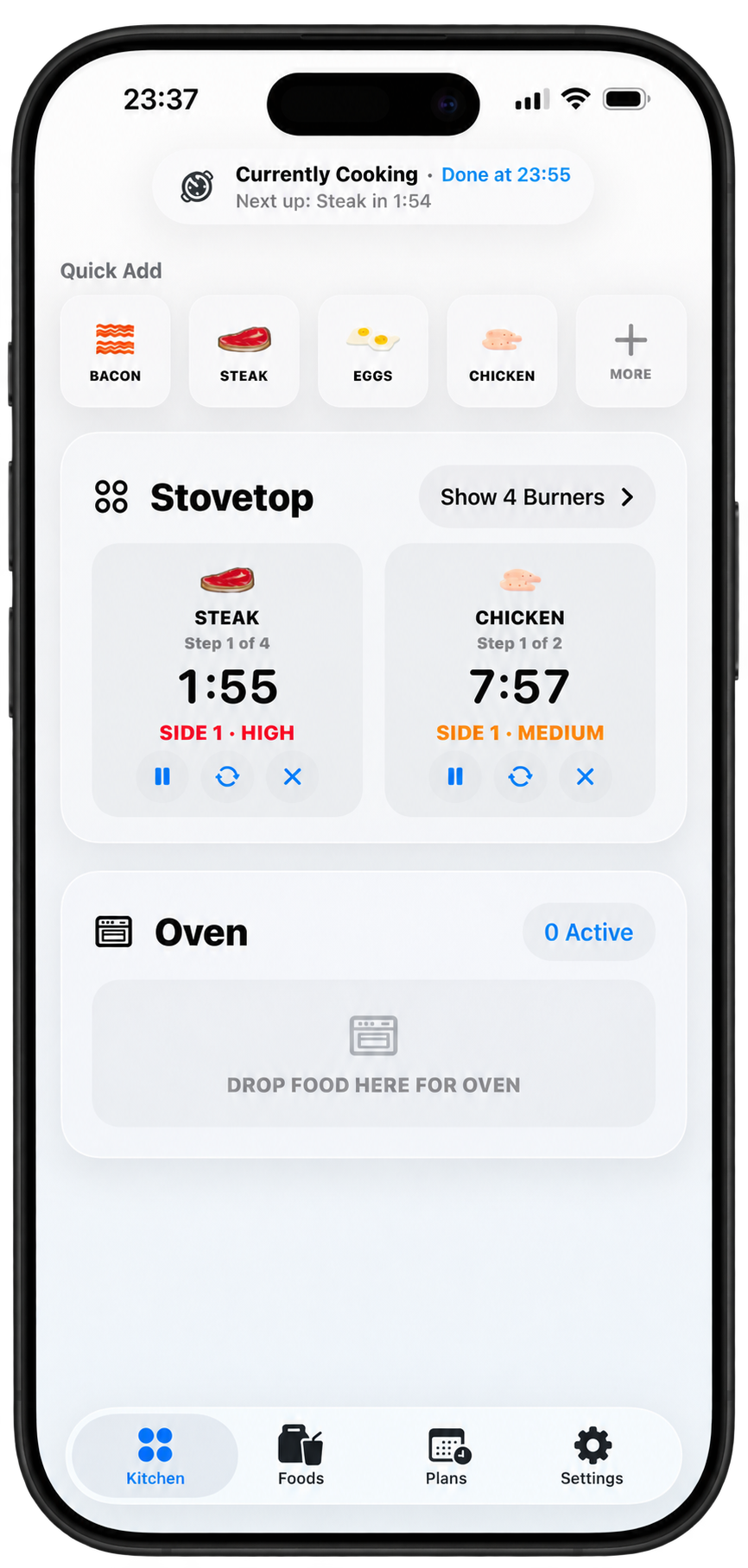
TAKE STOVEWATCH FOR A SPIN
Your foods.
Actually ticking.
Add a food and watch its timer count down. Flip to start the next step, pause when you need a moment, or remove it when you’re done.
Interactive illustration · Short sample timers, not cooking instructions. The app lets you save your own steps and timing.
A timer keeps track.
You do the cooking.
Choose steps and times that suit your food and equipment. Check your food before moving on; a countdown is a reminder, rather than a measure of doneness.
MAKE ROOM FOR A CALMER KITCHEN
Less juggling.
More enjoying dinner.
Your next meal starts here.